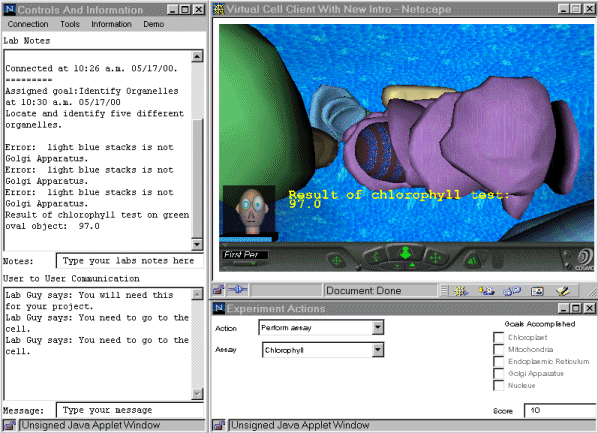
In the lower right of the interface, you can see the Experimental Actions window. The functions are unique for each module.
The Control and Information window is locate to the left. The user can access information from the several drop-down menus in th window. The window also contains a Lab Note section where results are recorded by the program, and where the user can enter their own comments. User To User Communication is also possible by using the narrative box at the bottom of this window.
Copyright © 2000. World Wide Web Instructional Committee